
Open Page Control
Open Page Control is the operational inventory of pages that are currently open or stashed. It groups them by Workspace and only shows actions that make sense for the selected page.
Press T to open it. Press Ctrl + K when you want to open it with Find already active.
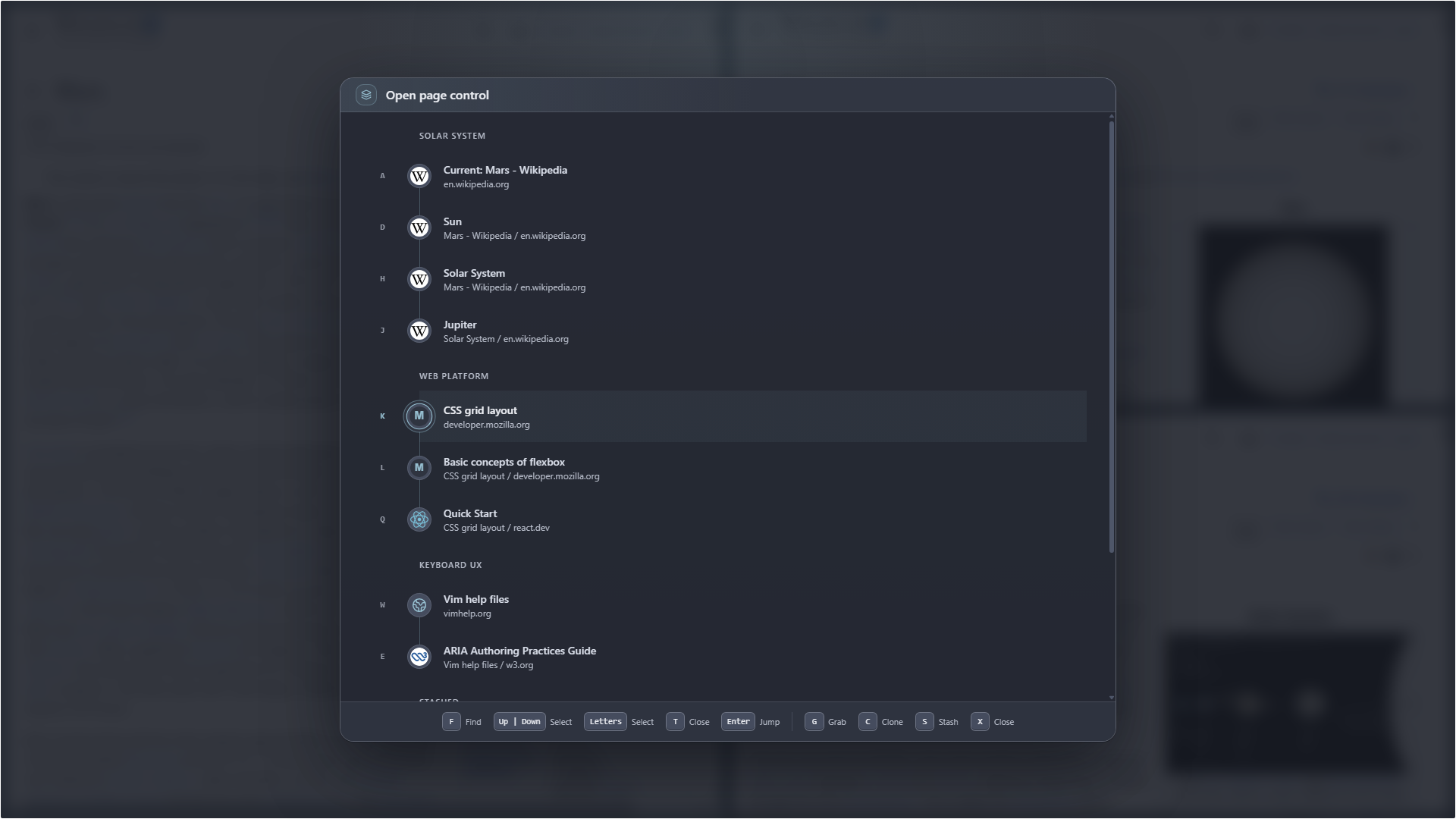
A displayed letter selects a page first; it does not immediately open it.
Find and select a page
Section titled “Find and select a page”- Press f to place focus in Find.
- Press Up | Down to move through results.
- Press a displayed letter to select that page.
- Press Enter to jump when the selected page is available in its Workspace.
The panel is intentionally keyboard-only. Selecting with a letter gives you a chance to choose an action instead of immediately changing context.
Contextual actions
Section titled “Contextual actions”The commands to the right of the footer separator depend on where the page lives:
| Page location | Available actions |
|---|---|
| Current Workspace | Stash, Close |
| Another Workspace | Grab, Clone, Stash, Close |
| Stash | Grab, Clone, Close |
Grab moves a page into the current Workspace. Clone creates a copy here while leaving the original page where it was.
Stashing a page keeps the panel open so you can continue organizing. Press T or Esc to close Open Page Control.