
Workspaces and Stash
A Workspace is a saved browsing context: page tiles, their layout, landmarks, and the larger task they belong to.
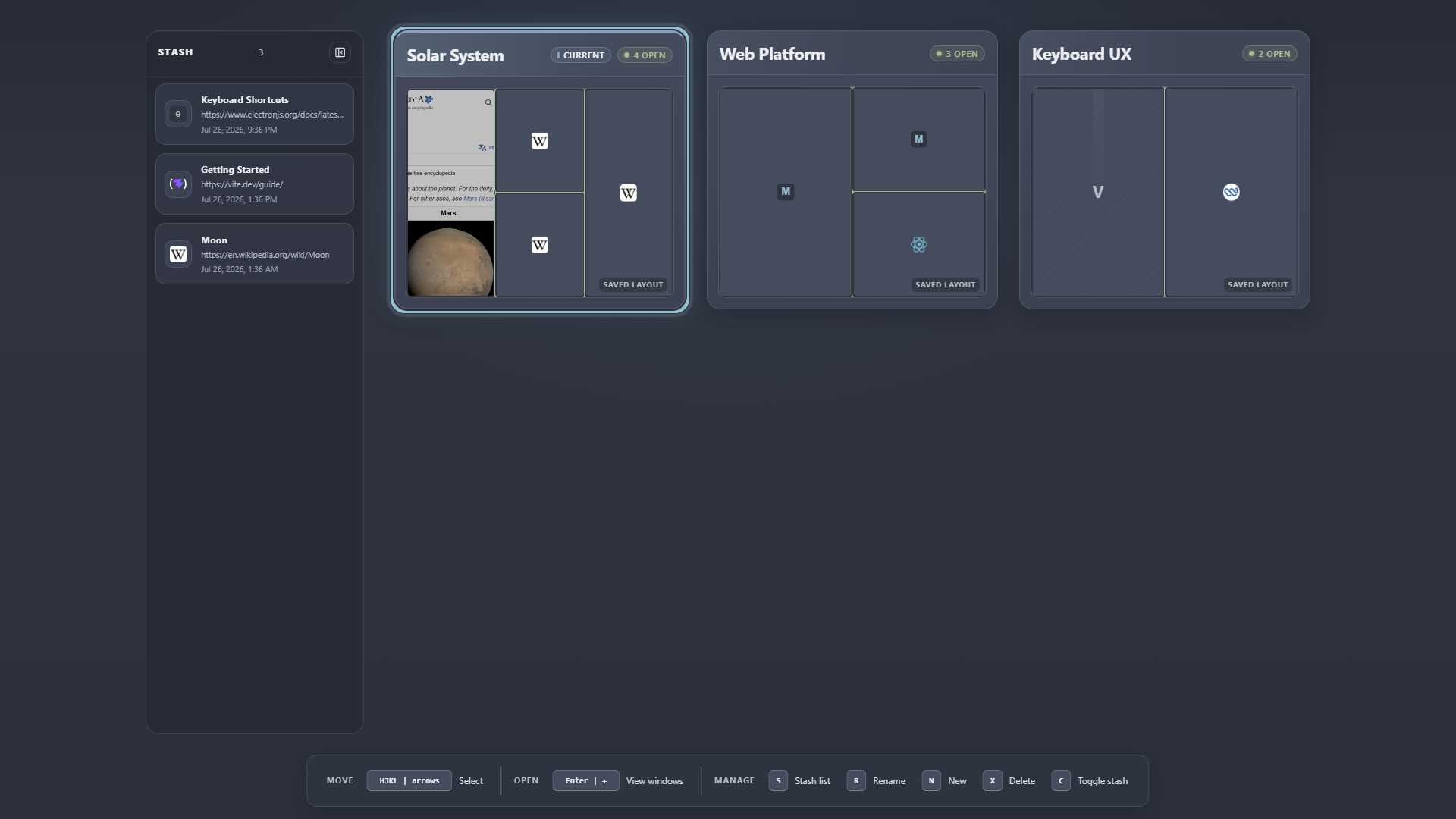
Workspaces keep contexts separate visually; Stash holds useful pages outside the current layout.
Open Workspaces
Section titled “Open Workspaces”Press W from browsing to open Window Overview, then W again to open Workspaces.
From the Workspaces view:
- HJKL or arrow keys move the selection.
- Enter opens the selection.
- / searches Workspaces.
- n or a creates a Workspace.
- r renames the selected Workspace.
- p marks or unmarks a landmark.
- x or Delete deletes the selected Workspace or closes the selected stashed page.
Stash is not history
Section titled “Stash is not history”Stash is a shared holding area for pages you intentionally keep but do not want in a visible layout. A stashed page remains open and available to retrieve.
Browsing history is different: it records pages you visited, including pages that are no longer open. See the History Map.
Put a page in Stash
Section titled “Put a page in Stash”- Press W for Window Overview.
- Select a tile.
- Press s.
The overview stays open and the other tiles close over the vacated space.
Retrieve or copy a page
Section titled “Retrieve or copy a page”Open Open Page Control with T. Depending on the selected page, Glub offers:
- Grab with g to move it into the current Workspace.
- Clone with c to copy it while leaving the original in place.