
History Map
Glub presents browsing history as a journey. Pages are stations on routes, Workspaces are the first nodes, and spawned windows become connected branches.
Press H while browsing to open the History Map. Because uppercase commands require Shift, this is Shift + h on the keyboard. Ctrl + H remains available as an alternate open or close shortcut.
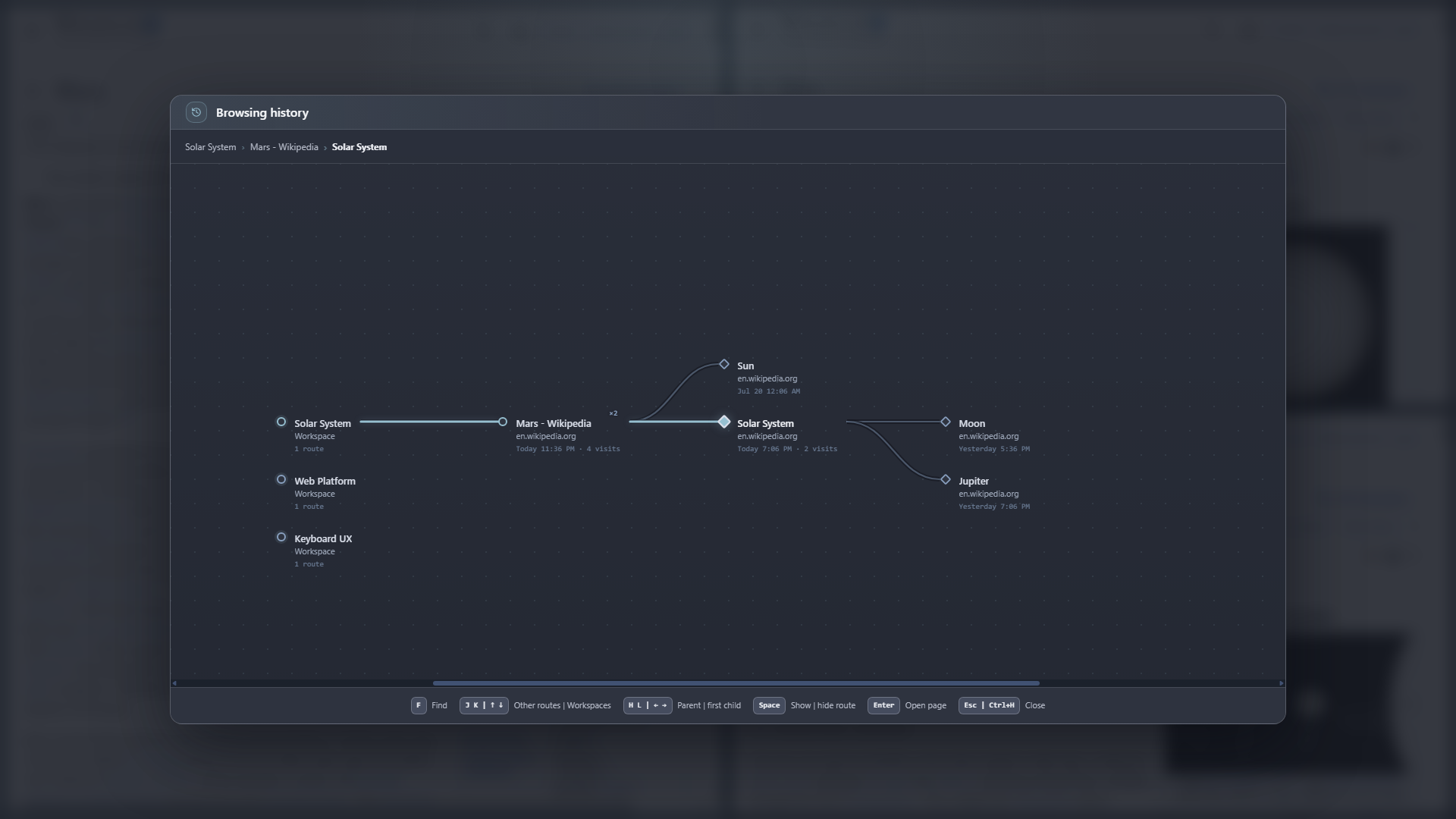
Routes carry the visual hierarchy; labels and station markers explain the pages along them.
Read the map
Section titled “Read the map”- Ancestors extend to the left.
- Immediate branches extend to the right.
- Nested children continue farther right.
- Spawned tiles use dashed connections.
- The selected station stays centered.
- Long or unrelated routes remain collapsed until they are useful.
The map shows only the portion relevant to the current focus, so a large recursive history does not need to remain expanded at once.
Keyboard controls
Section titled “Keyboard controls”| Keys | Action |
|---|---|
| h | Move to the parent |
| l | Move to the first child |
| j | Move to the next nearby route or Workspace |
| k | Move to the previous nearby route or Workspace |
| Space | Show or hide the selected route |
| f | Search pages, sites, and Workspaces |
| Enter | Reopen the selected page |
| Esc or Ctrl + H | Close History |
Arrow keys and Tab | Shift + Tab remain available for the corresponding navigation and controls.