
Spatial pages
Open links in a direction and keep the source visible. Your layout becomes a map of the question you are answering. Learn spatial browsing

Windows early preview
Glub is a Chromium-based browser built around page relationships instead of a tab strip. Open a result beside its source, preserve the larger task in a Workspace, and return through a history that reads like a journey.
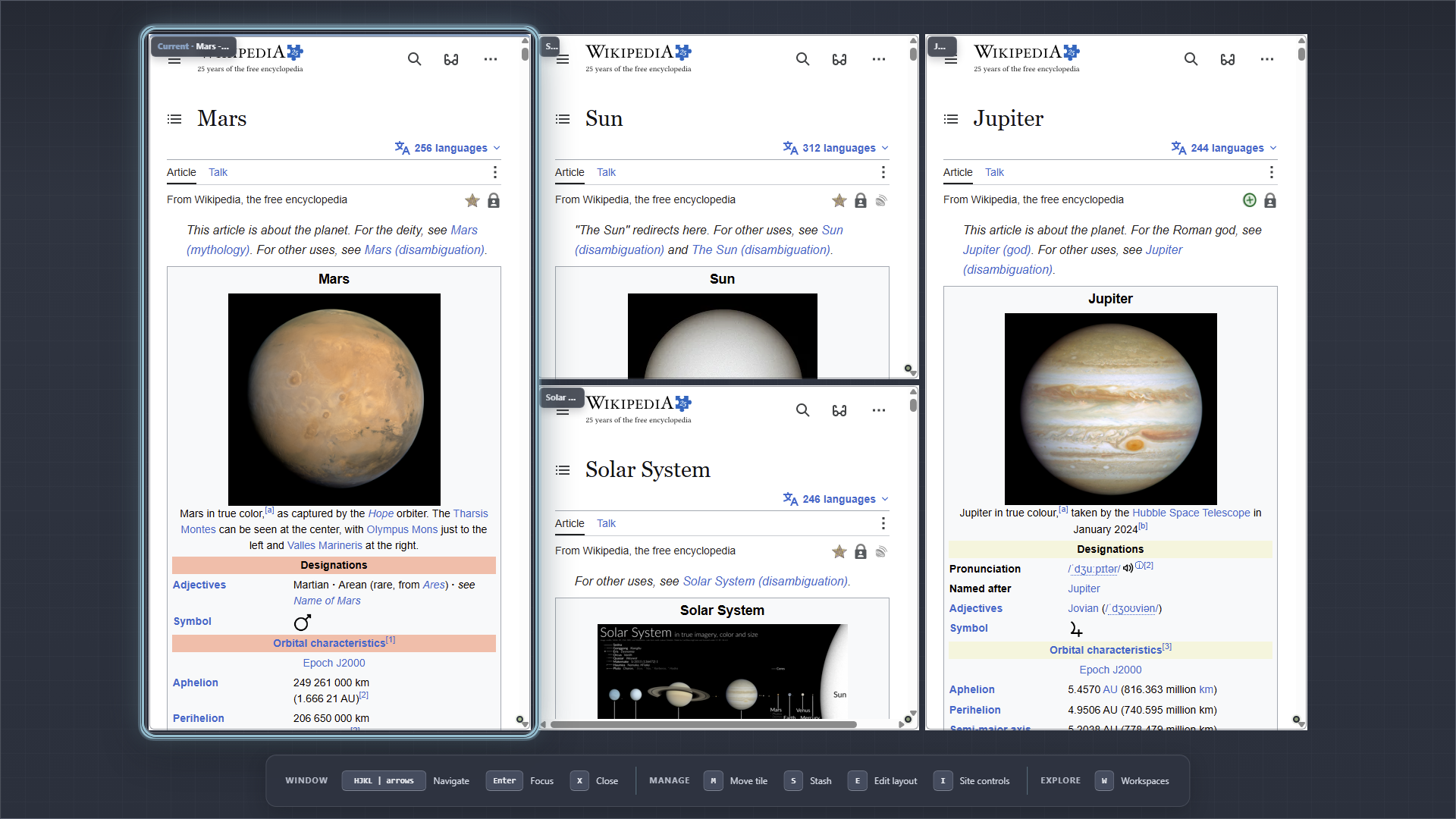
Related pages stay beside the page that produced them. Open the image at full resolution to inspect the interface.
Spatial pages
Open links in a direction and keep the source visible. Your layout becomes a map of the question you are answering. Learn spatial browsing
Workspaces and Stash
Preserve a project as a Workspace, or set a page aside without closing it. Understand Workspaces
Keyboard-first control
Browse, arrange pages, search open work, and operate every major panel without reaching for a mouse. See every command
History as a journey
Follow transit-style routes through previous pages instead of scanning a flat chronological list. Explore the History Map
Glub changes how pages are arranged—not what a browser must do. You can enter URLs, sign in to websites, download files, save passwords, control site permissions, use private browsing, and block ads and trackers.
The current preview is for 64-bit Windows 10 and Windows 11. The installer is not yet code-signed, so review the installation and verification steps before running it.
Start with the tour. The five-minute guide teaches the mental model in the same order you will encounter it in the browser.